
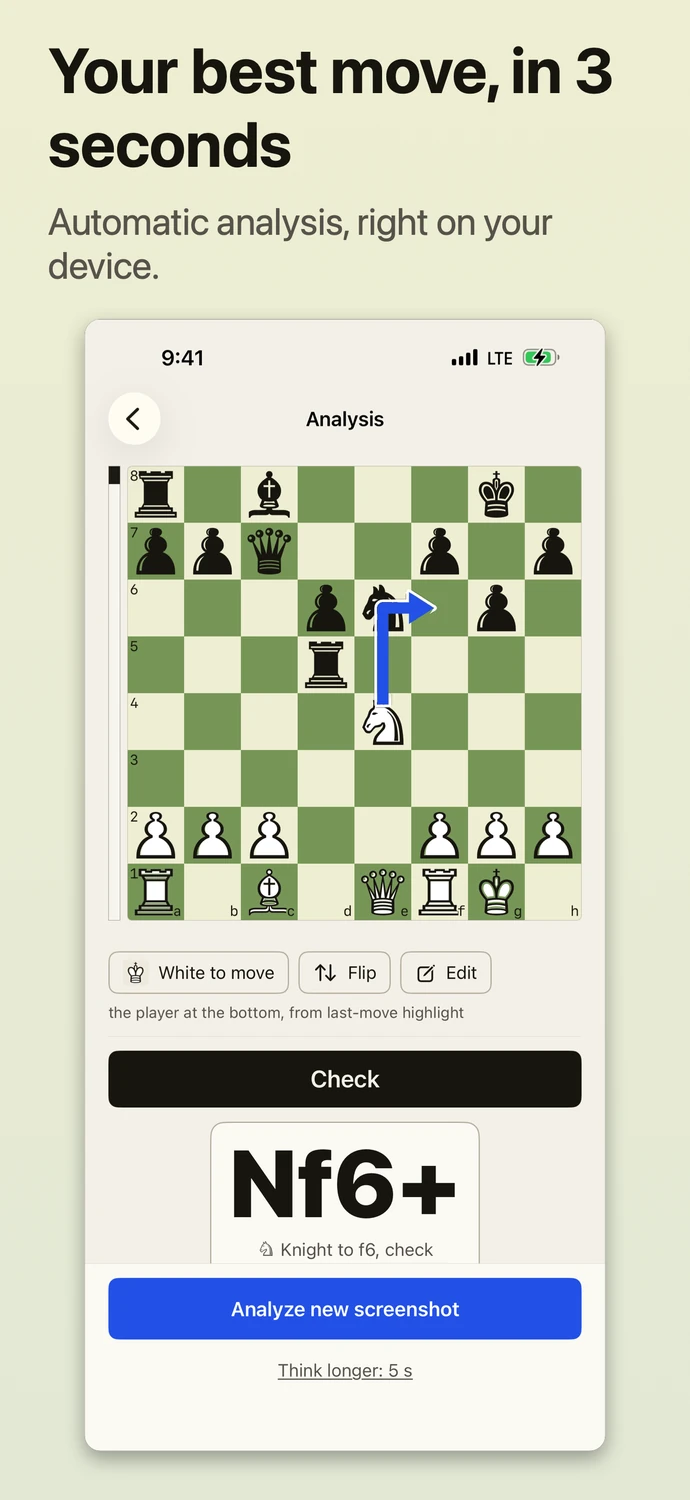
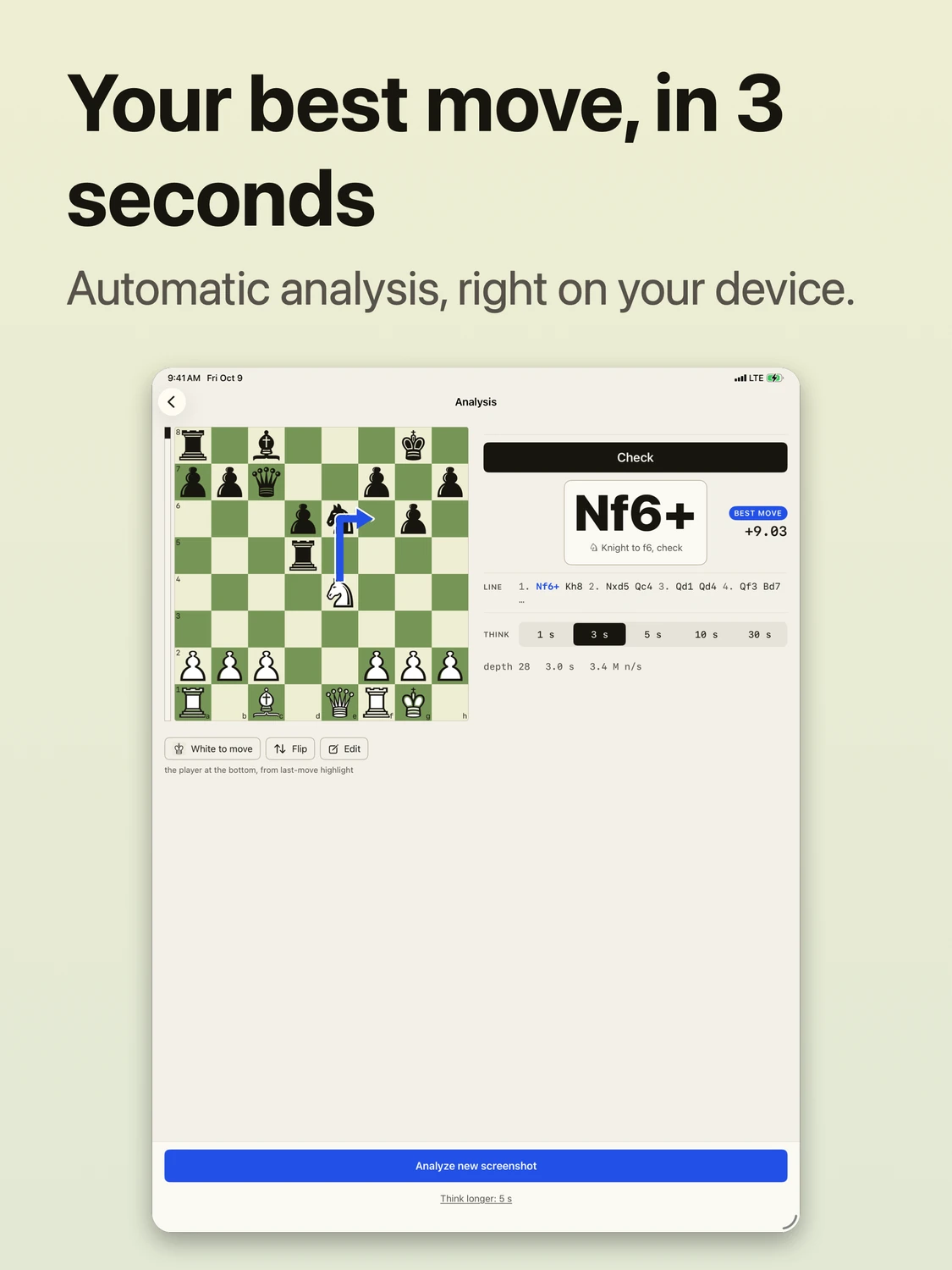
Your best move, in 3 seconds. Automatic analysis, right on your device. Bring a screenshot from a game you’re reviewing, a puzzle or a position you want to study.
Free through October 31, 2026. Download during the launch offer and keep unlimited analyses permanently. How the offer works
- App Store
- Available now
- Requires
- iOS 26 or iPadOS 26, or later
- Runs
- On your device, offline
- Account
- None
Fair playMost chess sites do not allow engine help in games you are playing.
On iPad
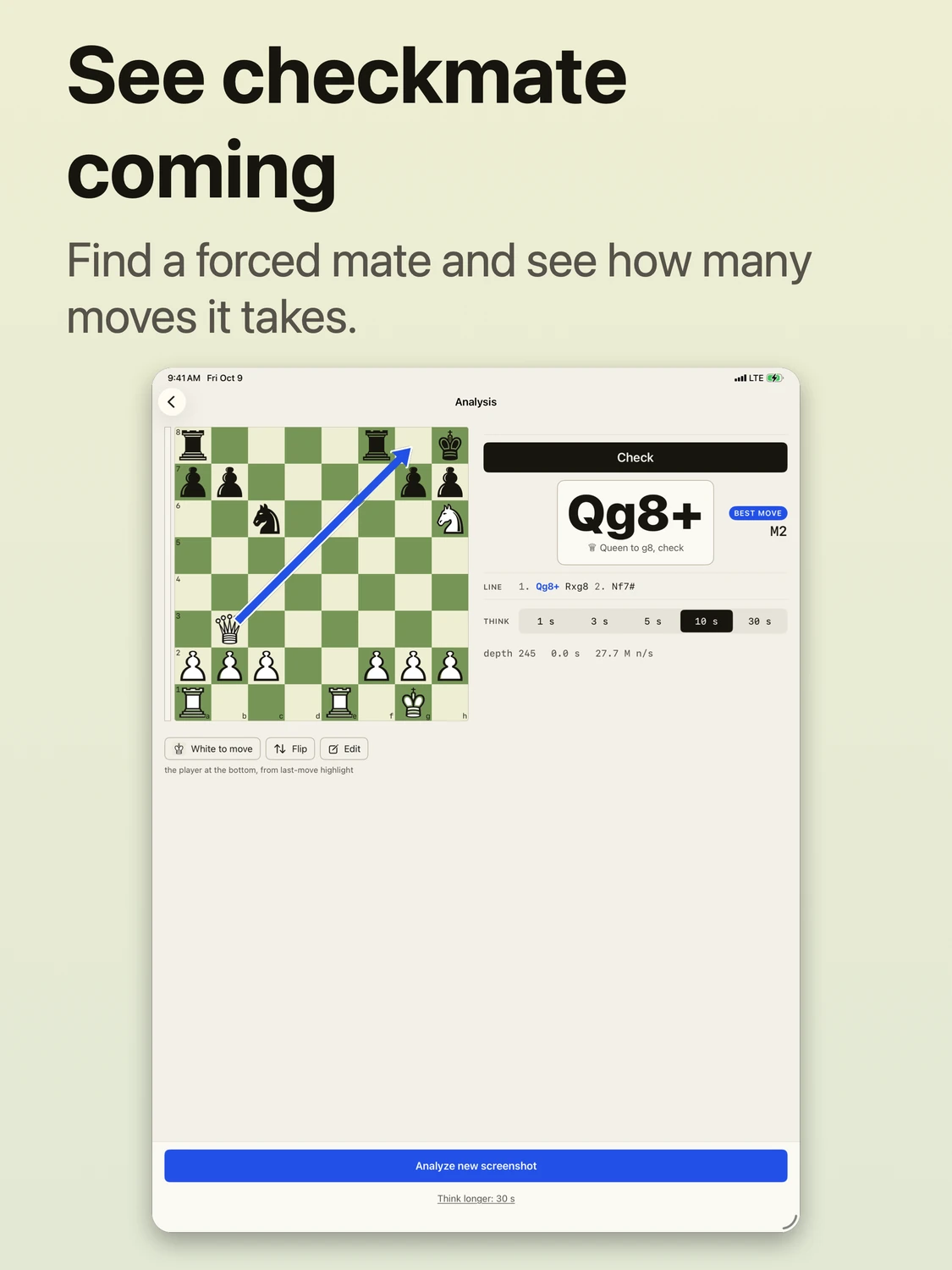
More room to study the position. On iPad, the board and analysis sit side by side.
How It Works
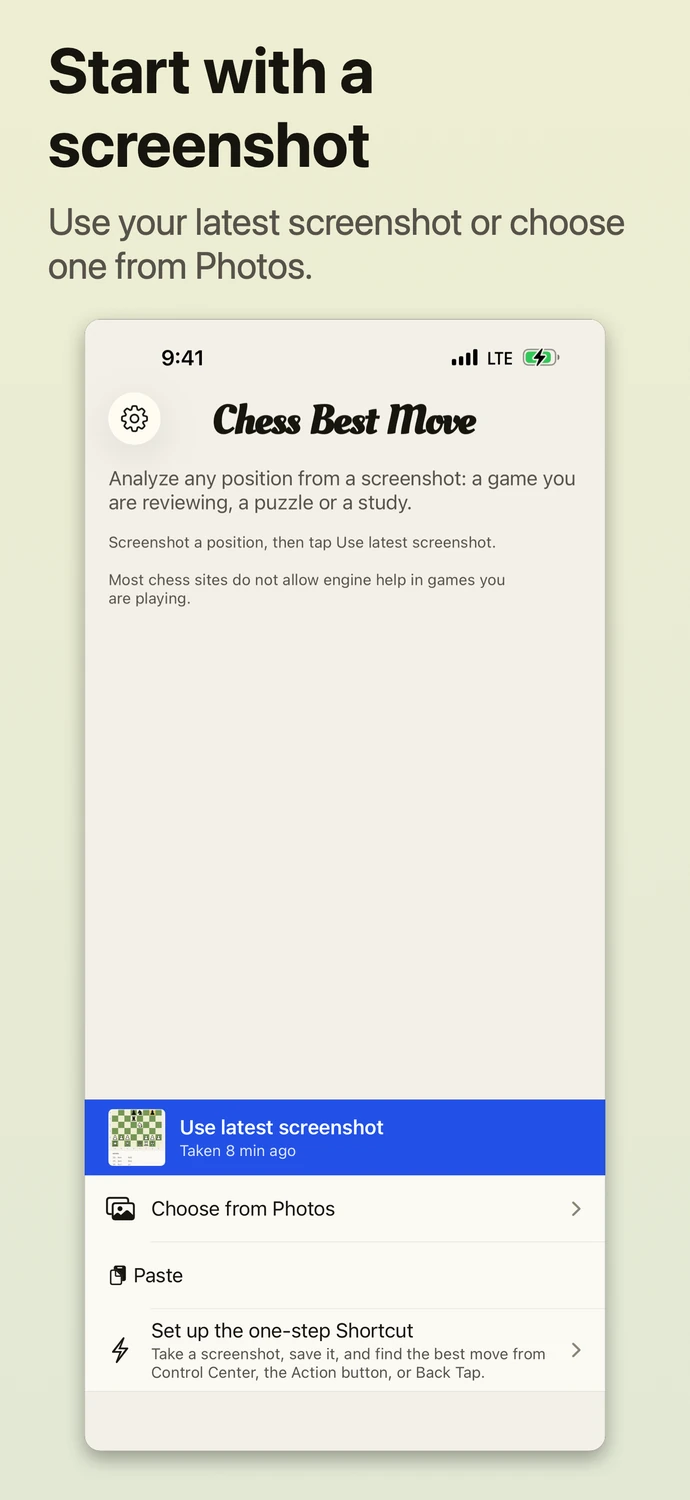
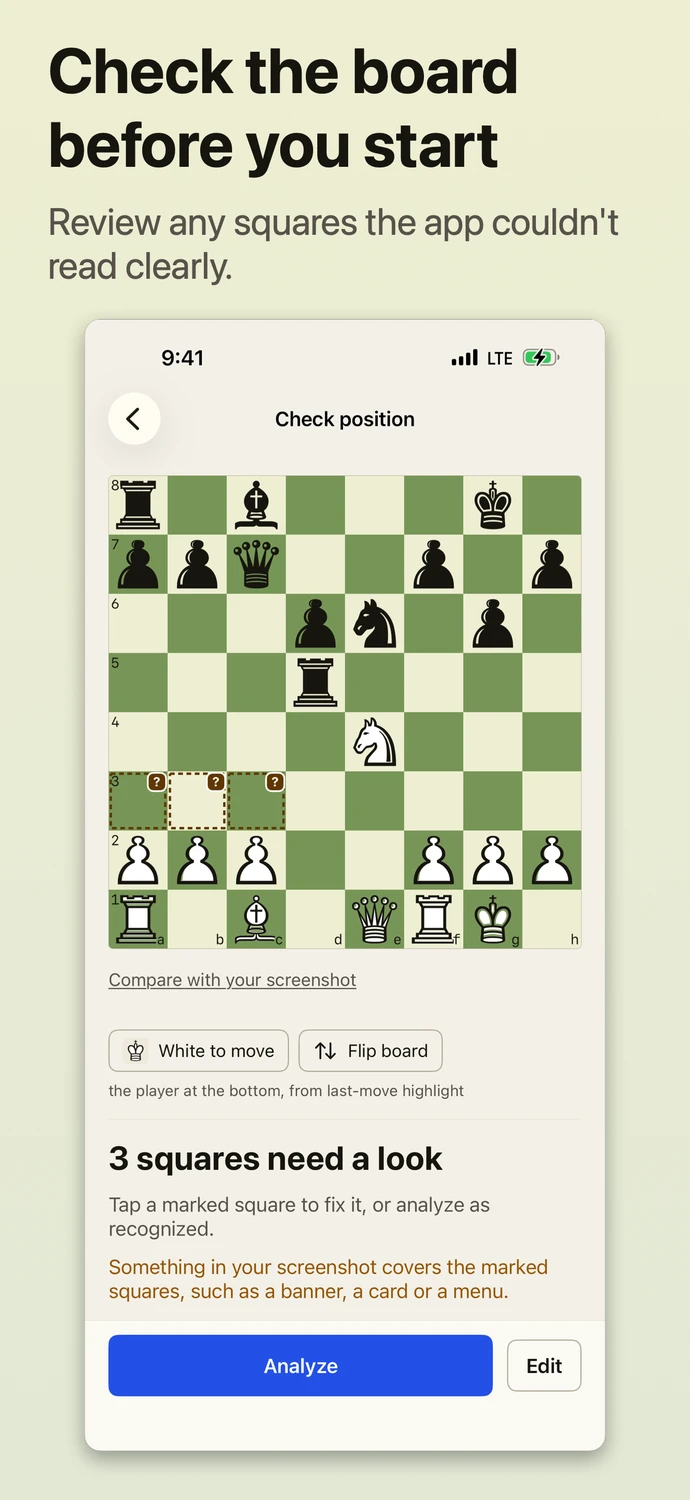
Bring in a screenshot and the app reads the board, then analyzes it automatically. If anything is unclear, it asks you to check the position first.
-
1.
Take a Screenshot
Capture a flat, digital board with the whole board visible, such as a position from a game you are reviewing or a puzzle.
-
2.
Bring It In
Tap Use latest screenshot, choose an image from Photos, share or paste it, or run your screenshot shortcut.
-
3.
Check the Position
The app finds the board, identifies each piece, and works out which side is at the bottom and whose move it is. Squares it is unsure about are marked, so you can confirm or fix them before anything runs.
-
4.
See the Best Move
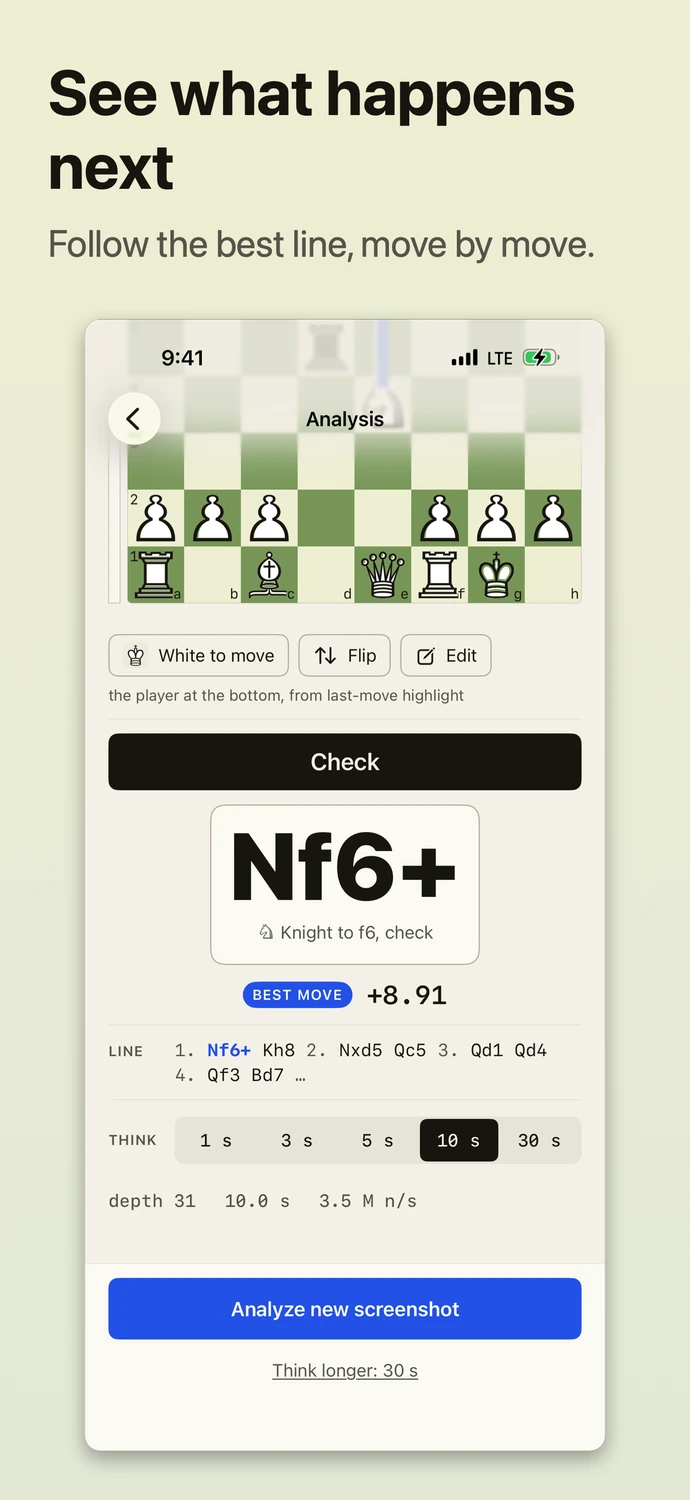
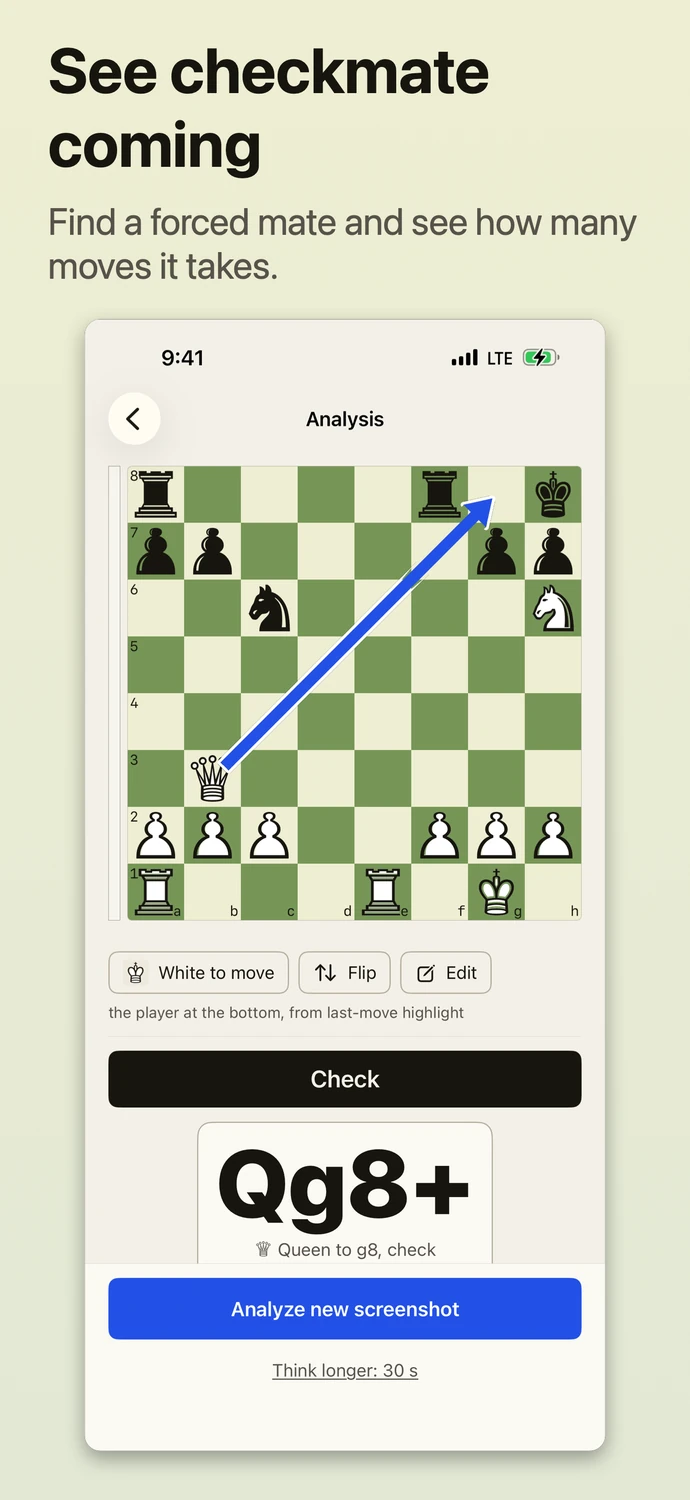
Stockfish 19 thinks for the time you choose, then draws the move as an arrow over the board and shows it in notation, with the evaluation and the line it expects.
What You Get
Recognition and analysis both run on your iPhone or iPad. There is no account to create.
- Recognition on your device
- The app finds the board with its own image code and reads the pieces with a Core ML model built into the app. Squares it is unsure about are marked for you to check. It handles common layouts, such as a board beside an evaluation bar, highlighted last moves and drawn arrows. Textured board themes and unusual piece sets may not be recognized yet.
- Stockfish 19
- The Stockfish 19 chess engine and its standard neural network are built into the app. Analysis works without an internet connection.
- Think time you choose
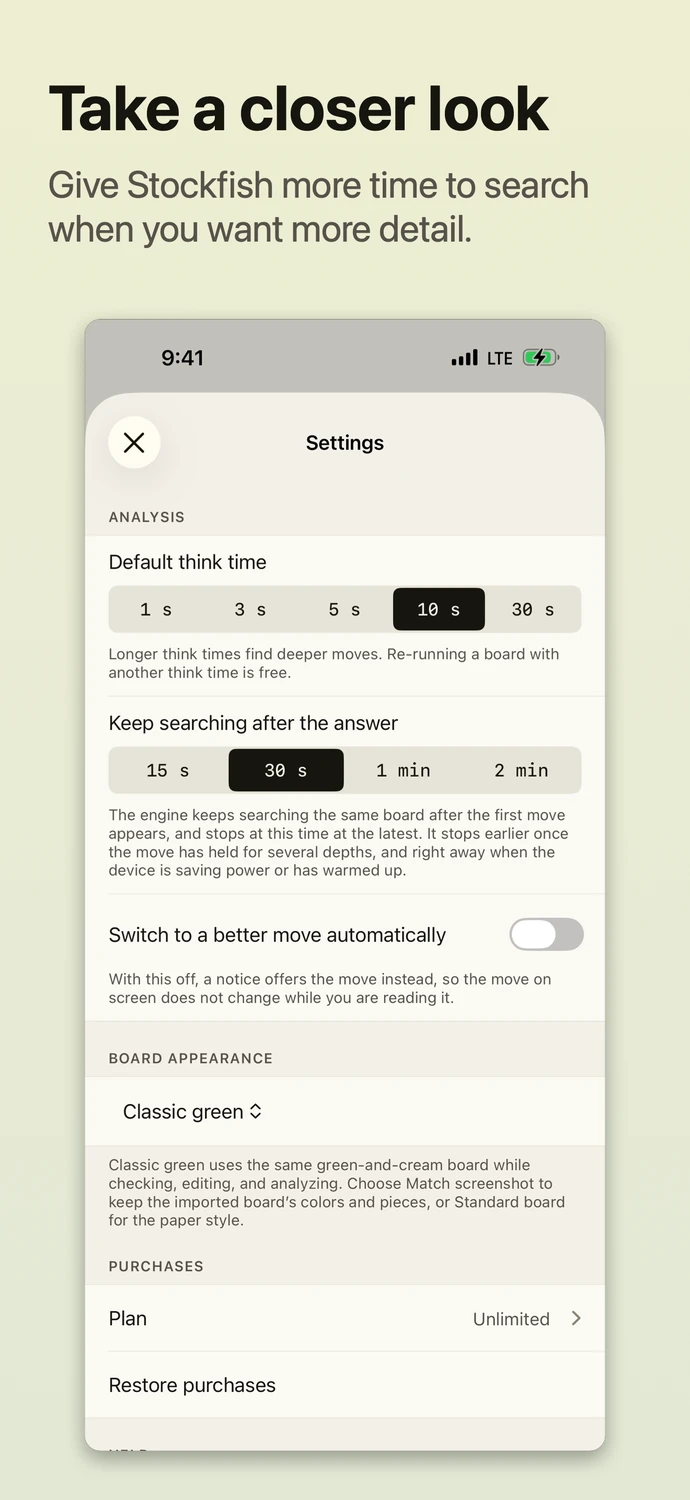
- Let the engine think for 1, 3, 5, 10 or 30 seconds. Running the same board again with a longer time, the other side to move or the board flipped does not use another analysis.
- A consistent board
- Classic green is the default. In Settings, choose Match screenshot to use the colors and pieces from your image, or choose Standard board. Your preference stays in place. You can still correct any piece the app read incorrectly.
- One-step Shortcut
- Take a screenshot, save it to Recents, and pass that image to Find Best Move. Run your shortcut with Siri, Control Center, the Action button or Back Tap. Follow the setup steps.
- Screenshots stay on your device
- No account, no analytics and no ads. Screenshots and positions are analyzed on the device and never uploaded. Privacy policy
- VoiceOver and larger text
- Moves are read in words, text follows your Dynamic Type size, and the arrow’s blue stays distinct for red-green color blindness.
- Home and Lock Screen widgets
- Save a screenshot, then tap the widget to open Chess Best Move and analyze it. Widgets use your latest saved screenshot; they do not take a new one. Add a widget.
Pricing
Download through October 31, 2026 and keep unlimited analyses permanently. Existing users qualify after updating. The cutoff is November 1 at 12:00 UTC, covering October 31 worldwide. No subscription is needed for the launch offer.
| Option | What you get | How you pay |
|---|---|---|
| October launch offer | Unlimited analyses, permanently | Free for qualifying downloads |
| After the offer | 3 free analyses | Then choose an optional purchase below |
| Pro Weekly | Unlimited analyses | Subscription, billed weekly |
| Pro Yearly | Unlimited analyses | Subscription, billed yearly |
| Pro Lifetime | Unlimited analyses | One payment |
| 15 Analyses | 15 analyses that never expire | One-time purchase, may be offered when you close the purchase screen |
These paid options apply to downloads after the launch offer. Prices are shown in the App Store and in the app, in your local currency. There are no free trials and no ads. Subscriptions renew automatically until you cancel them in your Apple Account settings.
Finding the board is always free, and so is running a board you already analyzed again with another think time, side to move or orientation. What counts as an analysis