
Sample Positions
Four pictures of chess positions, for trying Chess Best Move without hunting for a screenshot of your own. Press and hold a picture, then choose Add to Photos. Open the app and import it.
These are drawn for this page. They are not from any chess site, and nothing here is anyone else’s artwork.
Four Positions
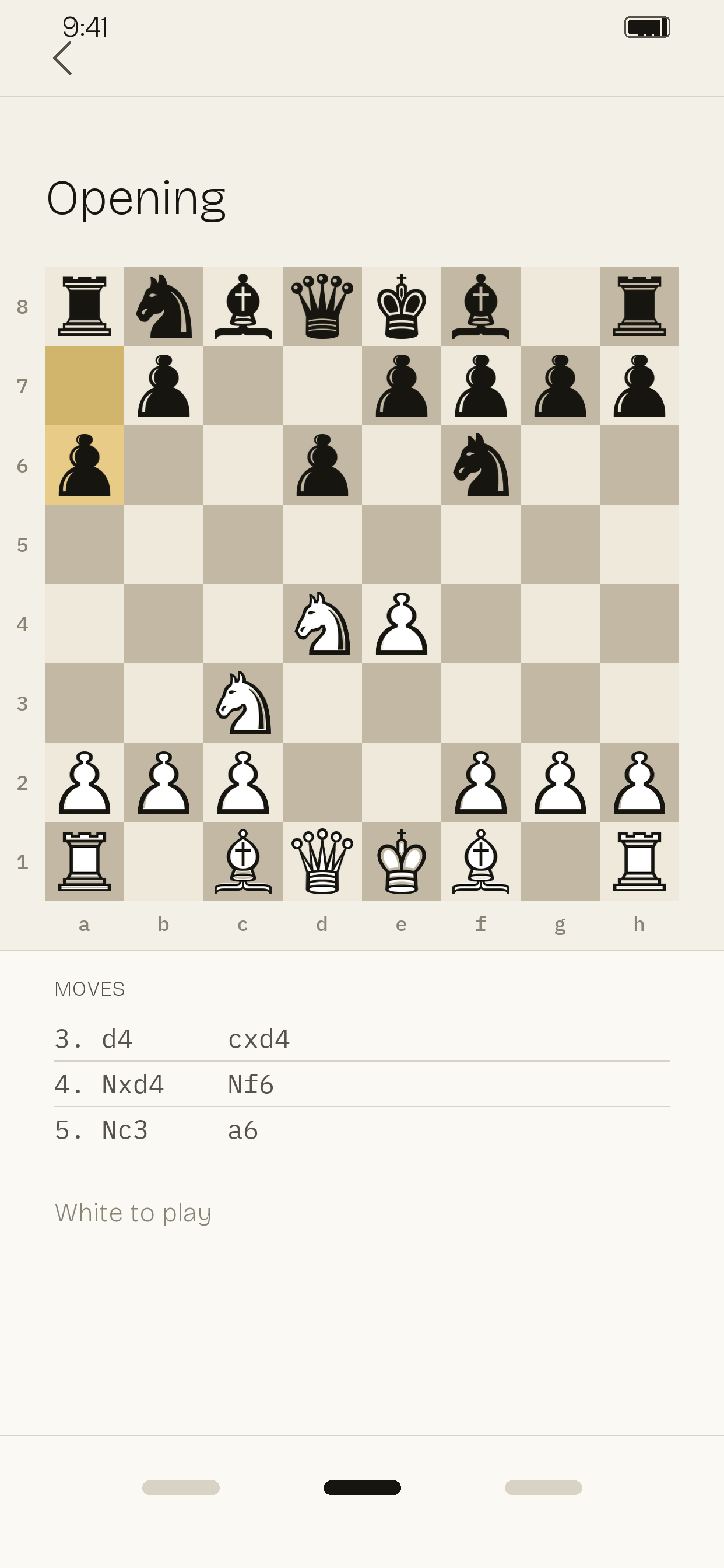
An opening, with the last move marked
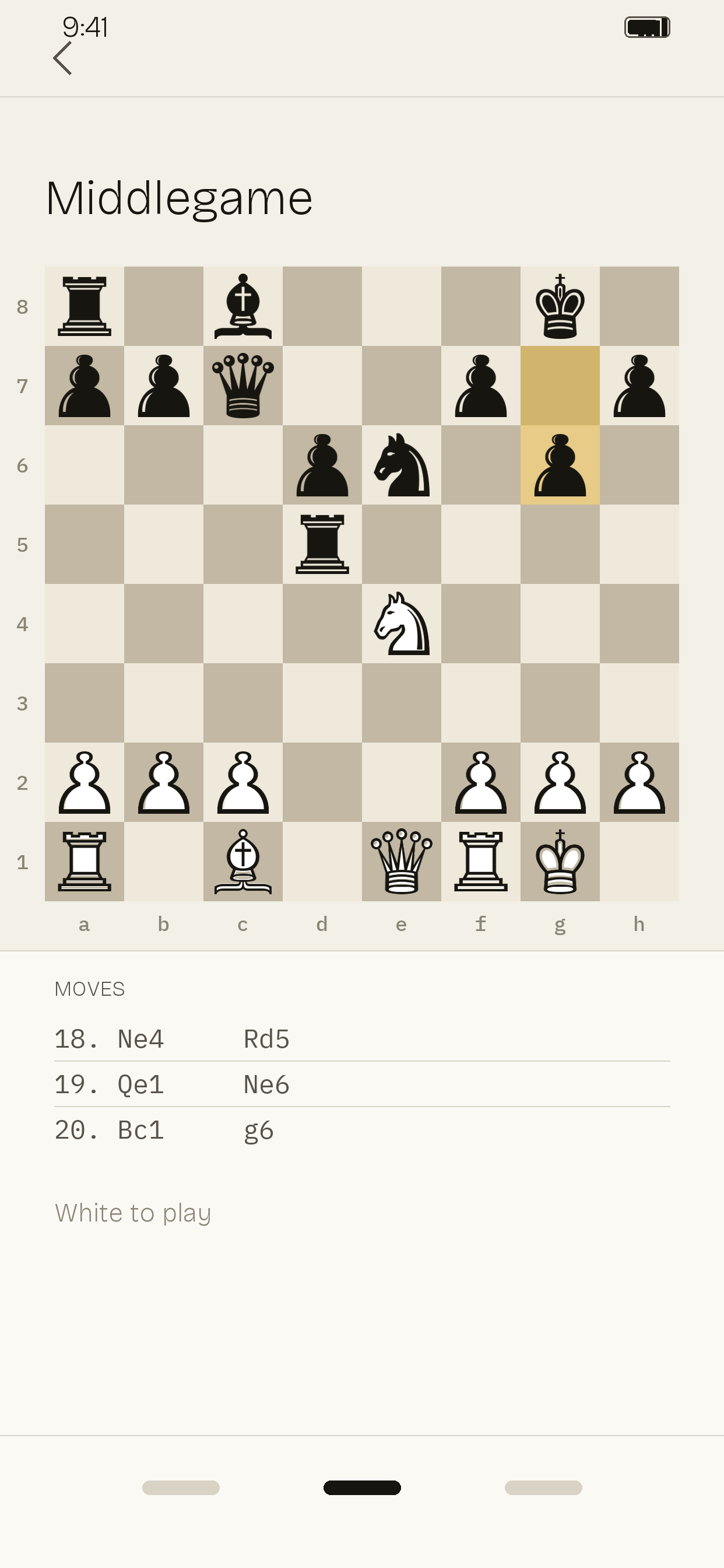
A middlegame with something to find
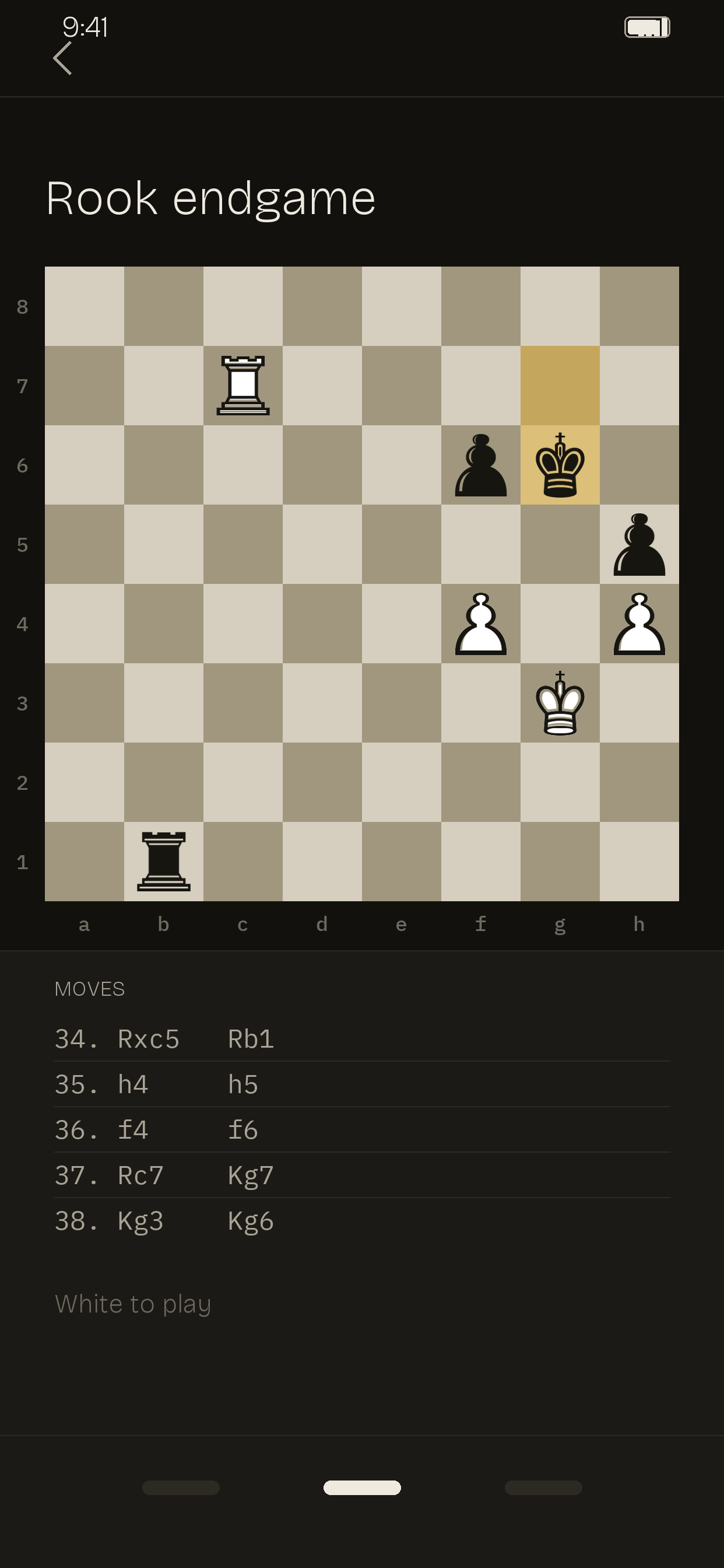
An endgame, few pieces left
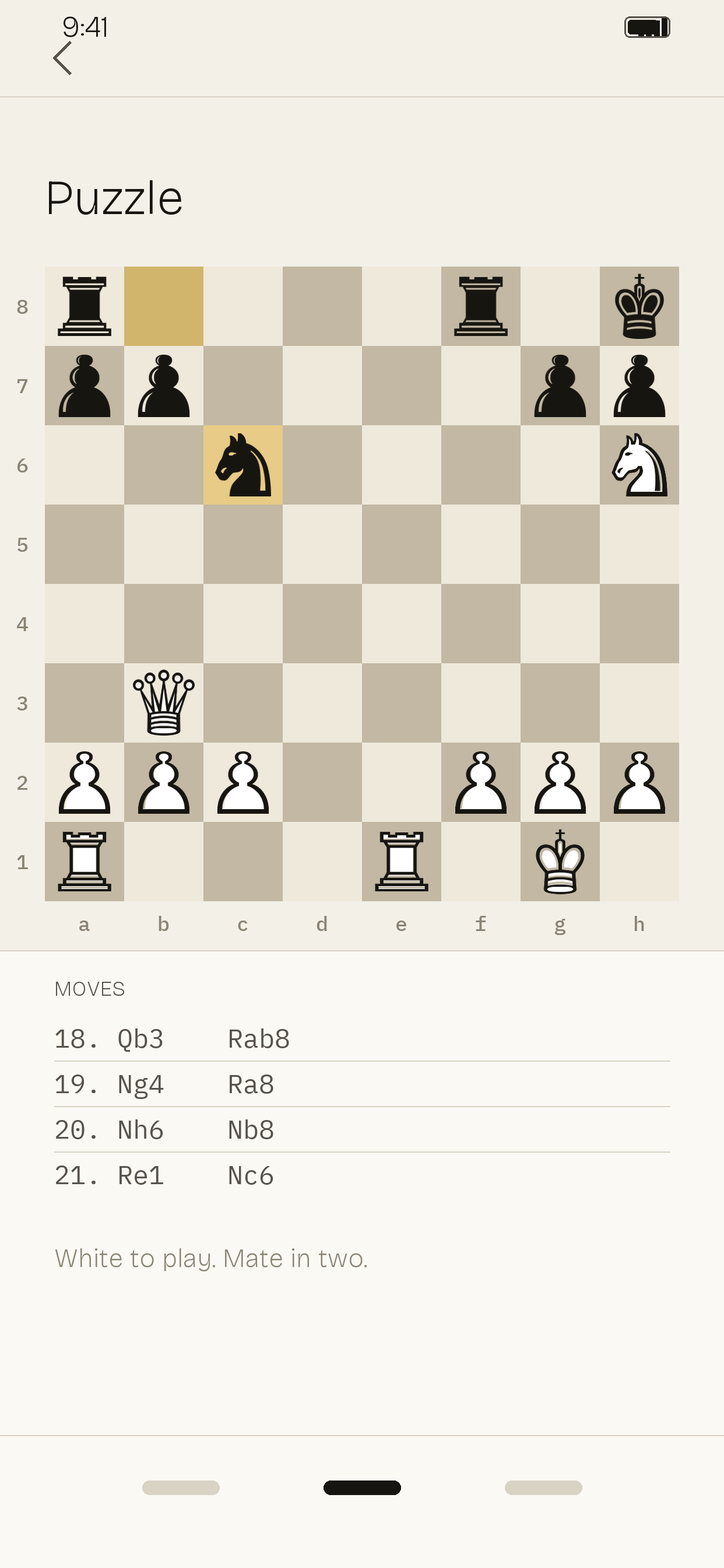
A puzzle, with one move that works
One More, Partly Covered
The same position as the middlegame above, with another window over part of the board. The app should say it cannot read those squares and ask you to look, rather than inventing pieces. It is not a fifth position: analyzing it after the middlegame one costs nothing, because the app already read that board.
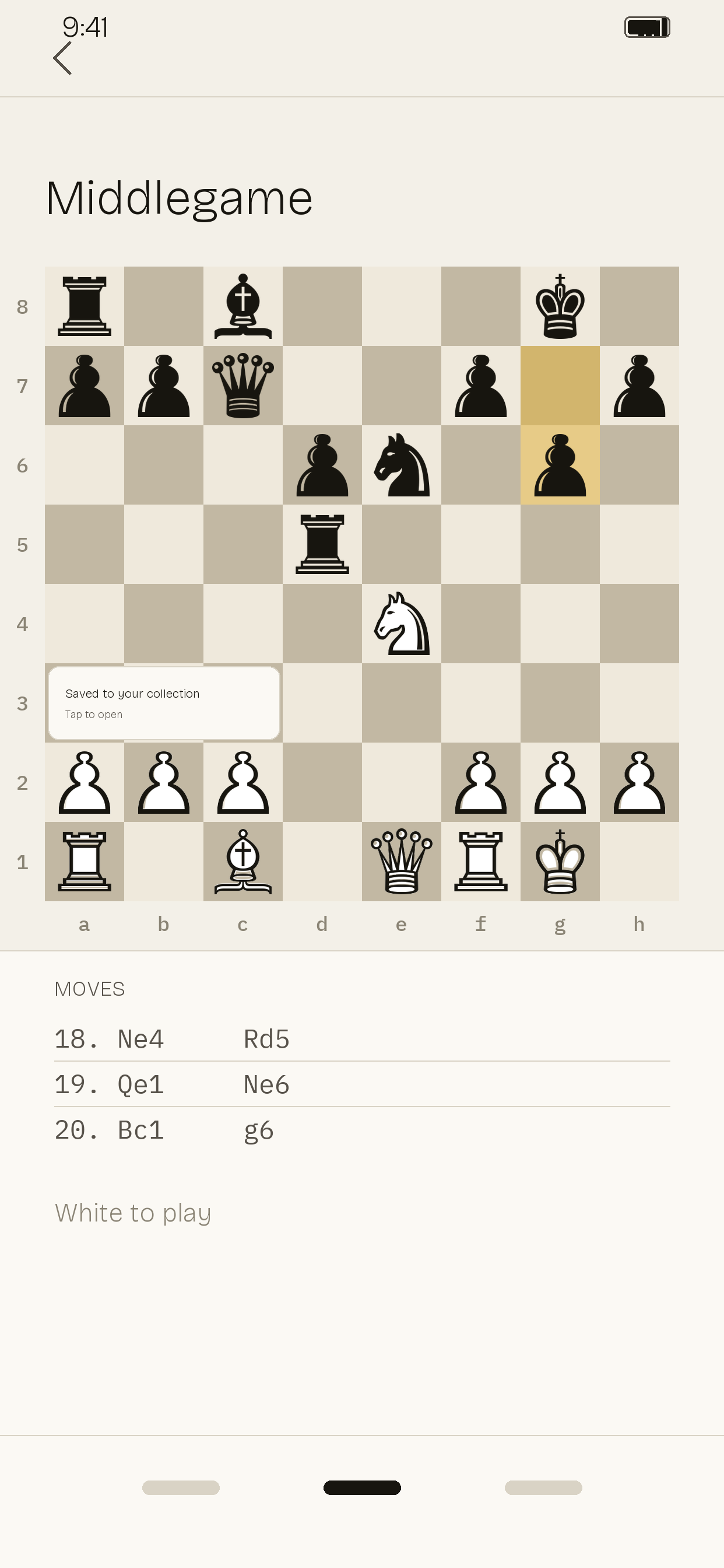
The middlegame board, partly covered
What to Expect
The four positions above are all different, which matters: re-reading a position you have already analyzed is free, so the same board imported twice does not use a second analysis. Four different positions are what it takes to see the purchase screen.